
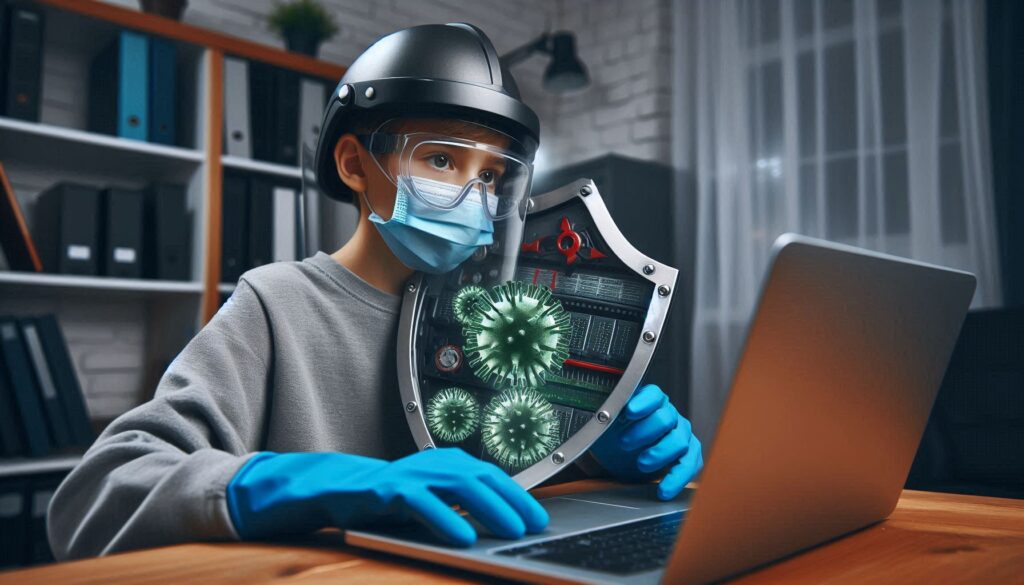
Imagine this: Your laptop starts bombarding you with pop-ups advertising “miracle” weight loss pills, or your files vanish overnight. Sound familiar? Malware doesn’t care if you’re a student at Punjabi University or a shop owner in Bathinda—it’s an equal-opportunity troublemaker. But don’t panic! In this guide, you’ll learn how to kick viruses and malware to the curb using free tools and simple tricks. And if the digital gremlins won’t budge? Our Bathinda repair team is just a call away. Let’s reclaim your laptop!
1. Spot the Signs: Is Your Laptop Infected?
Common Symptoms:
- Pop-ups that won’t quit (even when your browser is closed).
- Sluggish performance, like your laptop’s running through Bathinda’s monsoon mud.
- Unknown apps or toolbars you didn’t install.
- Files disappearing or getting encrypted (a ransomware red flag!).
First Aid:
- Disconnect from the Internet: Stop malware from spreading or stealing data.
- Backup Important Files: Use an external drive or cloud storage (but avoid syncing infected files!).
Pro Tip: If your laptop won’t boot, use a Linux Live USB (from our previous guide) to rescue files.
2. Use Built-in Antivirus (Windows Defender to the Rescue!)
Why It Works: Windows Defender is free, updated daily, and tackles 99% of common threats.
Steps:
- Open Windows Security (type “Virus & threat protection” in the Start menu).
- Click Quick Scan for a fast check or Full Scan for a deep dive.
- Quarantine or delete detected threats.
Bathinda Bonus: Schedule weekly scans during downtime—like after your morning paratha break!
Warning: Don’t ignore “PUPs” (Potentially Unwanted Programs). They’re like Bathinda’s street hawkers—annoying and resource-draining.
3. Bring in the Big Guns: Malwarebytes
Why Malwarebytes? It catches sneaky threats that Windows Defender misses.
Steps:
- Download Malwarebytes Free from their official site (Quick Heal).
- Install and update the database.
- Run a Custom Scan (check all drives).
- Remove detected threats and restart your laptop.
Pro Tip: Use the 14-day free trial of Malwarebytes Premium for real-time protection—ideal for Bathinda’s small businesses handling sensitive data.
4. Manual Cleanup: Delete Stubborn Malware Yourself
For Advanced Users Only:
- Boot into Safe Mode:
- Restart your laptop → Hold Shift while clicking “Restart” → Troubleshoot → Advanced Options → Startup Settings → Enable Safe Mode.
- Delete Suspicious Files:
- Check C:\Program Files and C:\Users\[Your Name]\AppData for odd folders (e.g., “UltraFastPCBoost”).
- Reset Browsers:
- Chrome: Settings → Advanced → Reset settings.
- Firefox: Help → Troubleshoot Mode → Refresh Firefox.
Local Hack: Bathinda’s internet cafes are malware hotspots—avoid downloading files from there!
5. Prevent Future Infections (Stay Safe Online!)
Best Practices:
- Avoid Pirated Software: That “free” Photoshop crack? It’s malware in disguise.
- Update Everything: Enable auto-updates for Windows, browsers, and apps.
- Use a VPN: Protect your data on Bathinda’s public Wi-Fi (try ProtonVPN or NordVPN).
Internal Link: Learn how to encrypt your laptop for added security.
6. When to Call Bathinda’s Malware Experts
DIY Fails If:
- Ransomware locks your files (don’t pay—call us instead!).
- Malware disables your antivirus.
- You’re stuck in an endless reboot loop.
Why Choose Us?
- Virus Removal Guarantee: We’ll clean your laptop or it’s free.
- Data Recovery: Rescue files even from encrypted drives.
- Same-Day Service: Drop off your laptop at our Bhucho Road shop and grab a kulhad chai while we work.
CTA: “Malware won’t quit? Let Lappy Service Bathinda’s tech warriors battle it for you—Book Emergency Service!”
Don’t let Bathinda’s heat burn a hole in your productivity (or wallet)
- Download Our Free Guide: “7 Secrets to Extend Your Laptop’s Lifespan”
- Notice the Symptoms : 5 Critical Signs Your Laptop Needs Repair in Bathinda’s Summer Heat
- Follow Us on Instagram for monsoon care tips!: https://www.instagram.com/mylappyservice/
- Follow Our Beginner-Friendly Articles Series– A Step-by-Step Guide [1,2,3,4,5,6,7,8,9,10]
Act Now:
- Book a Repair: https://lappyservice.com/lappy-service-bathinda/
- Dial +91 7380073593: for Laptop Repair at Your Door Step or Free Pickup of your Laptop by Lappy Service Technician
- Visit Lappy Service Bathinda Workshop: Shop No. 2736 B, First Floor, Goniana Road, GT Rd, opp. Sethi Petrol Pump, Bathinda, Punjab 151001
Final Thoughts
Malware might feel like a digital plague, but with the right tools and habits, you can keep your laptop safe. And remember—if the infection outsmarts you, Bathinda’s malware busters are ready to step in.